sketch experiment 5 - grid
For my next sketch experiment I placed some rectangles on a grid and rotated them but delayed the rotation by the distance of the center.
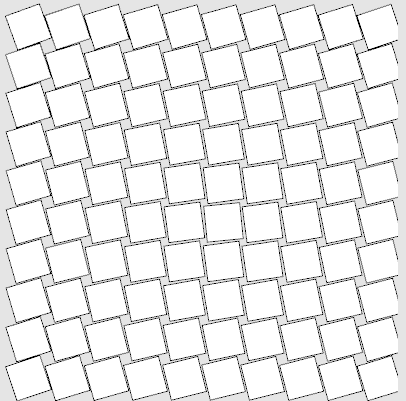
this is the code I used to create the sketch - I probably should have transofrmed the distance calculation into a function now that I think of it. well - maybe next time :-)
(defsketch blub (
  (title "sketch ex5")
  (width 410)
  (height 410)
  (f 0)
  (p 0)
)
  (incf f 0.1)
  (background (rgb .9 .9 .9))

  (dotimes (i 10)
   (dotimes (j 10 )
     (setf dx (- 5 i))
     (setf dy (- 5 j))
     (setf p (- f (* 2 (sqrt (+ (* dx dx) (* dy dy))))))
     (push-matrix)
     (translate (+ 30 (* i 40)) (+ 25 (* j 40)))
     (rotate p)
     (rect -19 -19 36 36)
     (pop-matrix)
   )
  )
)


sketch experiment 3 - animation
For experiment number 4 of my exploration of the commonlisp based sketch framewor, I started working with animations.
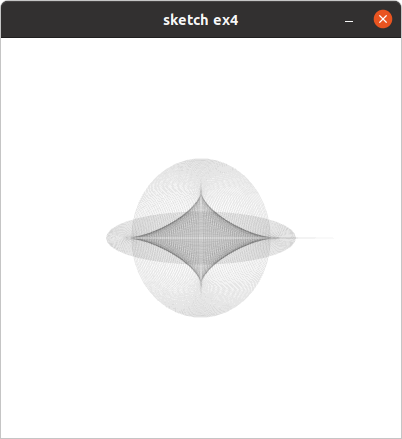
obviously my previous sketches have been animations as well - they just drew the same picture at every frame.
(defsketch blub (
  (title "sketch ex4")
  (width 400)
  (height 400)
  (f 0)
  (p 0)
)
  (incf f 0.1)
  (background (rgb 1 1 1))
  (dotimes (i 100)
    (setf p (- f (/ i 5)))
    (with-pen (make-pen :stroke (rgb 0 0 0 0.1))
      (ellipse (/ width 2) (/ height 2)
               (* 100 (sin (/ p 10))) (* 100 (cos (/ p 17))))
    )
  )
)
sketch experiment 3 - circles
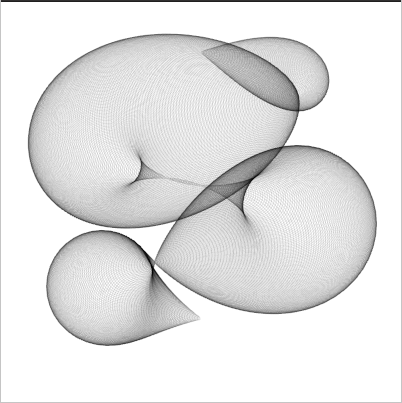
my third sketch experiment is using a similar technique I used in a previous ronin example - drawing a lot of circles along a curved path with a very transparent pen.
Its still a static image that gets rendered - I din't experiment with animations yet, but its very high on my todolist.
(make-instance 'blub )
(defsketch blub ()
  (background (rgb 1 1 1))
  (translate 200 50)
  (dotimes (i 720)
    (with-pen (make-pen :stroke (rgb 0 0 0 0.1 ))
      (push-matrix)

      (setf f (* (sin (* 6.28 (/ i 720)) ) (+ 0 (* 100 (cos (/ i 72.3))))))
      (circle (* 100 (sin (* 3.14 (/ i 180)))) (/ i 2.7) f)
      (pop-matrix )
      )
    )
  )
sketch experiment 2 - affine transformation
I continued my exploration of lisp-country with sketch and made a sketch experimenting with loops and affine transformations.

that's the sketch that generates the image.
(make-instance 'blub ) (defsketch blub () (background (rgb 1 1 1)) (dotimes (i 200) (with-pen (make-pen :stroke (rgb 0 0 0 0.2 )) (push-matrix) (translate ( i 2) ( i 2)) (rotate (/ (* i 360) 200)) (setf f (/ i 2)) (rect (- (/ f 2)) (- (/ f 2)) f f ) (pop-matrix ) ) ) )
The documentation is a bit thin at the moment - but the sourcecode is quite readable, and there are some example programs I used as a starting point to figure out how to use it.
read more ...sketch experiment 1 - openlisp based media art framework
Today I used sketch for the first time. It's a commonlisp based media art framework similar to processing. I haven't made something fancy yet, but so far I like it.
I also installed the vim plugin vlime for the first time - but I'm not yet sure if I really like it - maybe I need to use it for a little while to get used to it.
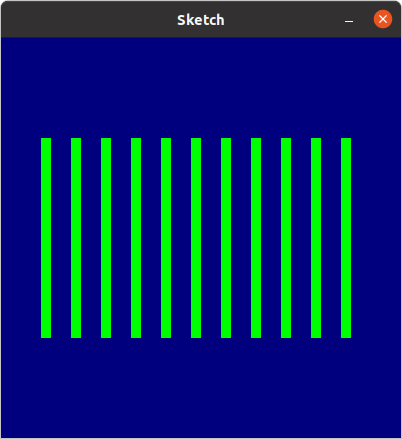
the graphic was created using this lisp code
(defsketch boxes ()
(background (rgb 0 0 0.5))
(dotimes (i 11)
(with-pen (make-pen :fill (rgb 0 1 0))
(rect (+ (* i 30) 40) 100 10 200)
)
)
)
nested cubes in processing
for this processing sketch I created a set of 5 nested cubes - each half the size of it's predecessor.
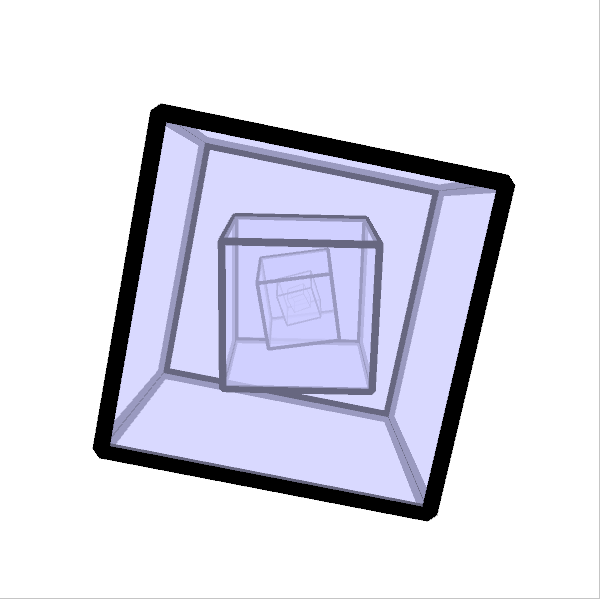
Each cube rotates around the x and y axis with different speeds and each cube rotates at a 10% slower rate than its predecessor.
To make the 3D effect a little bit more prominent I activated the "ENABLE_STROKE_PERSPECTIVE" hint, so the lines of the cubes wireframe get thinner the further they are away from the camera.
Initally i planned to render the cubes only as wireframes, but after experimenting with them for a while I decided to go for a transparent light blue shading.
read more ...
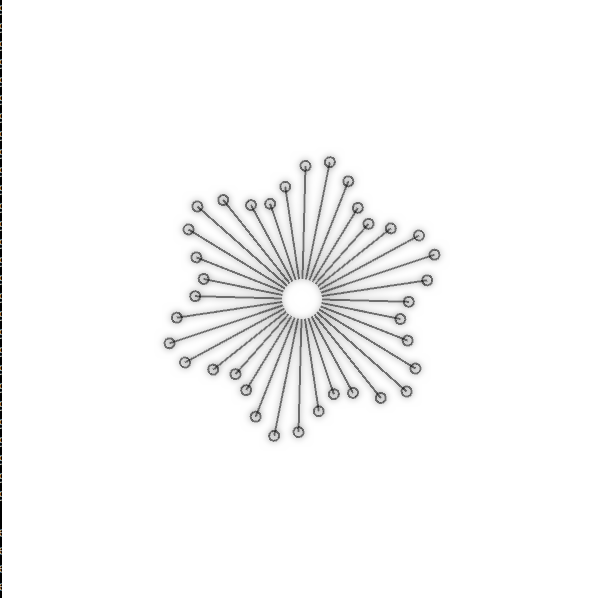
processing phaseflower
Since I haven't used Processing in a while, I dusted of my processing installation (and upgraded it to the latest version) and started to make some animations. I wanted to create an animation that morphes between random states of a parameterset over a random time periode, then stay at that state for some time and repeat ad infinitum. I implemented a similar state morphing system for a fractal in ronin a while ago and wanted to port it to processing. what could go wrong - right?
The base sketch I wanted to morph was a flower like shape that uses polar coordinates to modulate the radius of a bunch of small circles that are placed in a circle. Each target state that is held for some time should be a whole number multiple of the radius so that the modulations fit on a circle wihout jumps.
I implemented the drawing function and a first very simple state morphing system that is a direct port from my ronin sketch. There I simply interpolate between two states of a parameter over a given time
p = p1 + currenttime(p2 - p1)/periode
well that worked ok for the fractal curves i used id for in my last sketch, but since I used it here to do some modulations on a circular shape using polar coordinates the shape started to look really ugly when my parameter had some inbetween states that results in a fractual number. Hrmpf.
so back to the drawing board. Directly morphing the parameters and then calculating the position of the circles didn't work as expected.
After some experimenting I ended up at linear interpolation of the resulting circle positions that are calculated from the parametersets instead of morphing the paramters themslef. This way i can always use whole numbers as start and end values for a transition and no inbetween states that result in hard jumps are generated
lessions learned: simply morphing between states by blending parameters is fine in cartesian space - but results in wired transitions when polar coordinates or rotations are involved.
If you want to experiment with my state changing phase flower you can run it here.
click here to start the sketch or download the sourcecode.
usb-stick repair
During my homeoffice phase one of my USB-Sticks brock - not a big thing I usually would simply go to a store an buy a new one - especially since this was a very cheap noname USB-Stick. But on the other hand it really anoyed me - there was only a little bit of plastick inside the housing that broke that rendered the stick basically useless because whenever you tried to plug it in it completely dissapeared inside.
Since I had some files on the stick I really needed, I removed the housing and used it for a few days without it - which worked perfectly fine - but felt really brittle and I didn't like pulling directly on the circuit board.
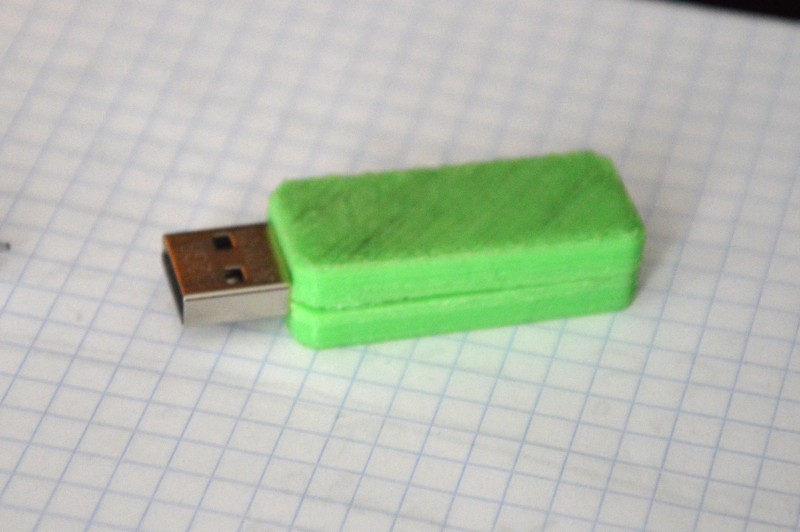
After a few days feeling a little bit angry about how cheapt the plastick enclosure was made and that it was obviously designed as a throw-away product, I decided to repair instead of replacing it and turn it into something like this