Barcodescanner in pure processing
I always considered barcode scanners as a pice of rocketscience that mere mortals like me aren't able to build. But this weekend megalomania hit me and i wrote one in processing. I didn't use any libraries beside GSVideo (on my linux box) or processing.video (wherever quicktime is available)
My barcodescanner is able to decode a subset of the code128 barcode. it shows all printable characters and it supports all three charsets, but i didn't include all those Bell, Stx, Enq, .. character. feel free to add support for them if you need it :-)
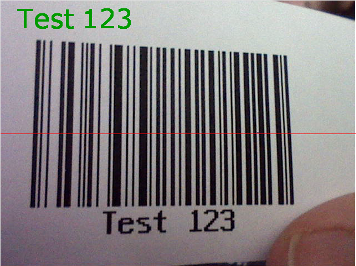
The program assumes that the barcode is placed in the middle of the camera image. It takes the middle row of pixels and converts it to black and white. then it calculates the width of the black and white bars and searches for a barcode startsequence. if it finds one it tries to match the next six bars with the code128 patterns and adds the value of the character that has the highest match to a stringbuffer.
when a stop character is found it calculates the checksum and if that matches it returns the found string (minus the checksum char).
sounds a lot more complicated than it actually is. the hardest part was turning the row of pixels into an array of black and white values.
The code is not really beautifull and it is a bit long because of the big char tables.
click here to download the code.
read more ...


processing arkanoid clone
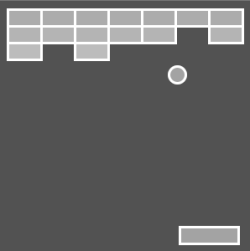
I just wrote a little arkanoid clone in processing in less than an hour.
click here to give it a try
projecting GIS Data on a sphere using Processing
i have used processing to access map materials from geoserver. but i have noticed that the earth is not flat and that processing is making 3d animations really easy :-)
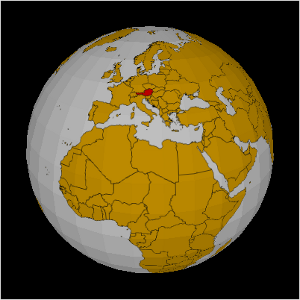
so i have coded a rotating sphere and project the GIS data from geoserver on the surface
flat map from my last sketch
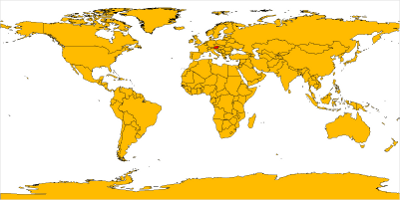
spherical map from the new sketch
using Buzzer with Processing
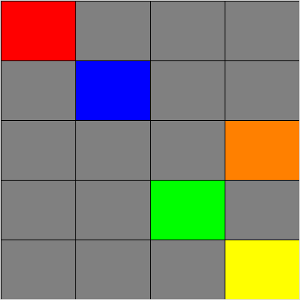
I have written a processing sketch that shows how to use the buzzer for the ps2. the sketch uses the proCONTROLL library and draws a rectangle for every button on the buzzer.
New pencil drawings
i just added 8 new pencil drawings to my drawings gallery
read more ...Mapping linux input events to OSC
In linux every input device registers under /dev/input/eventX and sends events in 16 byte blocks. these data chunks contain a timestamp the event type, the event code and a value depending on the event type the semantic of value changes. for a event type 1 (key event) value 1 means pressed and value 0 mean released.
here is a little ruby program that reacts to key press events and sends osc messages. which could trigger drum sounds, start play back, ...
key press events are not only sent by keyboards but also by mice, joystics, gamepads, a DDR mat, a buzz buzzer, ...
the code example is used to map keys of my PS3 Controller to drum sounds.
require 'osc';

c = OSC::UDPSocket.new

hh = OSC::Message.new('/drum', 's', "hh" )
bd = OSC::Message.new('/drum', 's', "bd" )
sn = OSC::Message.new('/drum', 's', "sn" )

File.open("/dev/input/event7") do |f|
  while true
    event = f.read(16).unpack("llSSl")
    time = event[0] + event[1] / 1000000.0
    type = event[2]
    code = event[3]
    value = event[4]

    puts "Ti: #{time} T: #{type} C: #{code} V: #{value} " if type == 1

    c.send( bd, 0, 'localhost', 3334 ) if type == 1 && code == 298 && value == 1
    c.send( sn, 0, 'localhost', 3334 ) if type == 1 && code == 293 && value == 1
    c.send( hh, 0, 'localhost', 3334 ) if type == 1 && code == 303 && value == 1
  end
end
The code was inspired by 2 articles i found recently the first one is about how to use a DDR-mat to trigger Drum Sounds and the second one shows how to read the accelerometer data from a openmonoko phone
read more ...Moving 3D Boxes in Processing
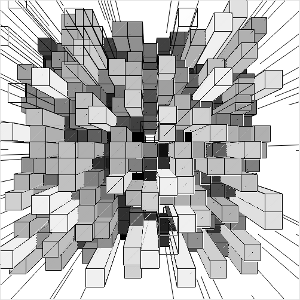
this processing sketch draws some random 3d boxes using the P3D renderer. I really like the distorting artifacts that are generated by the smoothing. I made some manga style random lines around the boxes to intensify the effect
click here to see the boxes in action.
Processing Gears
and here is another processing sketch i have written today
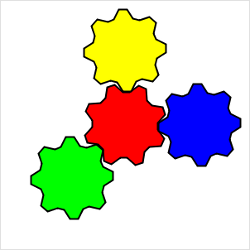
click here to see some rotating gears
Spinning Rectangle
I just made another completely useless sketch in processing.
click here to see a spinning rectangle with an alpha background.
My name is 192.168.159.16
Varvara Guljajeva is using my processing tts library for her lates project My name is 192.168.159.16.
My name is 192.168.159.16 - is a metaphorical visualization of nowadays-human beings. In my point of view we are not bounded to one body anymore. We are extended through networks to infinity. The location does not matter, what matters is connection. Thus, at this point I totally agree with Mitchell “disconnection would be amputation. I link therefore, I am.” We are becoming gradually fully equipped and totally dependent on technology cyberorgs.
The installation consists of 4 dolls in each a speaker inside, 4 relays, arduino, a computer, and a modem. We are using Processing, TTS (text to speech), and Arduino. The independent and at the same time isolated network is created. IP addresses are continuously renewed and sent to a random doll. Thus only one doll is speaking at a time (4 speakers are controlled by 4 relays through arduino).
the installation looks really cool - a bit creepy what she did to the dolls :-)
read more ...