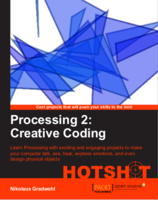
Ronin experiment 5 - osc
I added an OSC message receiver to Ronin - now you can send OSC messages from other apps like SonicPi or orca to a running Ronin animation
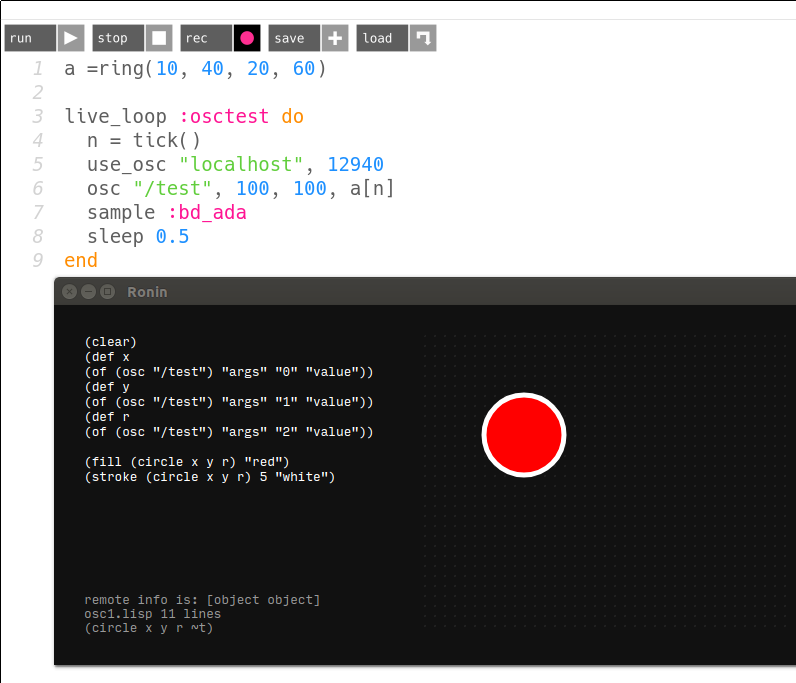


Sonic Pi beatslicing livecoding session
this is the recording of a SonicPi Livecoding session made from 2 sample loops sliced and rearranged in different ways
for the drum sounds I used a drumloop sliced it into 32 peaces each 1% the length of the original loop. Each click is chosen at random from the ring created by the line command.
n = 32
l = 0.01
s =  line(0, 1, steps: n+1).choose
f = [1,s + l].min

sample "drumloop.wav", beat_stretch: 16, start: s, finish: f
The samples are triggered at a given 16th slot with a changeable probability.
the e-piano loop is played back at different speeds chosen from an array using [1,-1,0.5, -0.5, 0.75, -0.75].choose and placed at a random position in the stereofield using a :pan fx
creating midifiles using ruby
I have been experimenting with randomly generated drum patterns lately and found out pretty soon, that a totally random generated pattern isn't exacly what I was after, I wanted a pattern generator where I can specify propabilities for each drum hit to occure. So I wrote a ruby script using midilib that generates midi files containing patterns, which I can then import into bitwig and loop and arrange for my tracks.
Midilib is a nifty little ruby library that allows you to read or write midifiles. For my purpose I used the library to write the files.
the library can be installed using gem
gem install midilib
A midifile contains sequences, sequences contain tracks and tracks contain midi events. These events can be any midi event like noteOn, noteOf, controlChange, programChange, ... For each midiEvent in a track the delta time to the last event is stored.
in midi lib you can specify a time_from_start value and lets midilib recalculate the delta values before saving the track.
So here is a ruby script that generates a hihat pattern (channel 1, midi note 44 in my kit), where the notes are placed on a 16th grid with a random chance between 20% and 50%.
require 'midilib/sequence'
require 'midilib/consts'
include MIDI

seq = Sequence.new()

track = Track.new(seq)
seq.tracks << track
track.events << Tempo.new(Tempo.bpm_to_mpq(110))
track.events << MetaEvent.new(META_SEQ_NAME, 'Test Pattern')

track = Track.new(seq)
seq.tracks << track

track.name = 'Loop1'

s = 0
l = seq.note_to_delta('16th')
e = Random.rand(0.2..0.5)

16.times do
    if ( Random.rand < e ) then
    on = NoteOn.new(0,44,127,0)
    on.time_from_start = s
    off = NoteOff.new(0,44,127,0)
    off.time_from_start = s + l
    track.events << on
    track.events << off
    end
s += l
end

track.recalc_delta_from_times

File.open('pattern3.mid', 'wb') { |file| seq.write(file) }
Calculating Euclidean Rhythmns using the Bresenham Algorithm
Recently I started playing with euclidean rhythms and implemented the bjorklund algorithm shown in the paper by Godfired Toussaint in ruby. The implementation isn't really rocket science (actually it's ring accelerator science :-)) but it uses recursive function calls, two arrays, multiple stages, ... and I had the feeling that this is far more complicated than it needs to be. After reading several posts, blogs and papers about the implementations of the algorithm I read somewhere that the algorithm produces the same result as the bresenham algorithm - at first I ignored the sentence and unfortunately I have no idea anymore where I read it but today I implemented a simple version of it an the results I get are the same as my recursive version - or rotations, which is fine because you usually loop over the sequences and are free to choose a starting point - so in case anyone is interested here is my bresenhamish method for calculating euclidean rhythms in ruby - shouldn't be too complicated to port it to different languages
def eucledean(k,n)
    f = 1.0*n/k
    res = Array.new(n,0);
    a = 0
    k.times do |i|
        res[a.to_i] = 1
        a += f
    end
    return res
end

(1..8).each do |i|
print eucledian(i,8)
print "\n"
end
and this are the results I get for the 8 possible rhythms with 8 steps
[1, 0, 0, 0, 0, 0, 0, 0]
[1, 0, 0, 0, 1, 0, 0, 0]
[1, 0, 1, 0, 0, 1, 0, 0]
[1, 0, 1, 0, 1, 0, 1, 0]
[1, 1, 0, 1, 1, 0, 1, 0]
[1, 1, 1, 0, 1, 1, 1, 0]
[1, 1, 1, 1, 1, 1, 1, 0]
[1, 1, 1, 1, 1, 1, 1, 1]
ruby rhyme generator
I made a ruby rhyme generator - a simple commandline utility to generate nonsense rhymes like this
    si ninu si - na ma boto
    mo sito mo - de sa tato

    te dini ma - no ne dibi
    di nodi te - be be sebi
or this
    bo nibe bomeku
    te dibu domiku

    nu sibe keteso
    me tiba beneso
you can specify the number of verses and the rhythmic pattern on the commandline
Usage: rhyme [options]
    -p, --pattern PATTERN            the rythmic pattern
    -c, --count COUNT                number of verses
the default pattern is 121-112 like in the first example
read more ...Curling Animation II
I made another animation with Context Free Art and a small ruby script. The scroll down to see the sourcecode I have used for this file. This animation uses the same technique i used for my first one
Curling Recursion 2 from Nikolaus Gradwohl on Vimeo.
read more ...Blinking Logfile Map
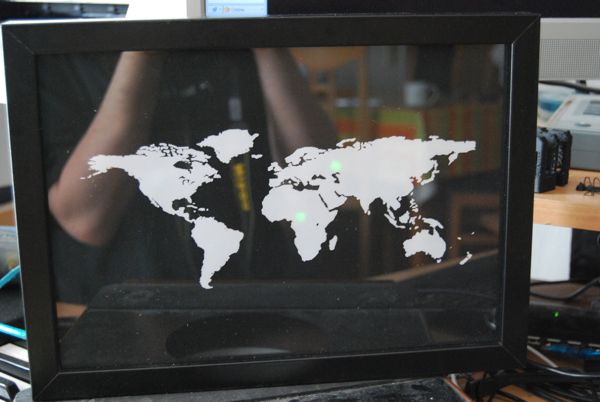
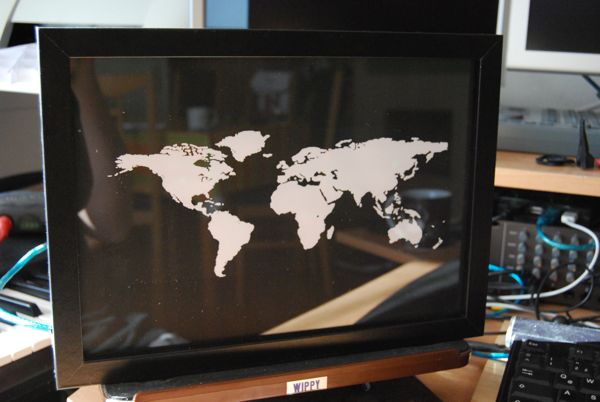
I always wanted to see where the readers of my blog are comming from, so I took a picture frame and inserted a world map, a handfull of leds and an arduino. Some soldering and some rubyscripts later I had my hardware geo-aware logfile visualization.
I have a script running at the server that parses new ip adresses from the log file and geocodes them. Than the continent code is sent to my mac where i have a little script that forwards the continent code to the serial port. And finally the arduino in the picture frame is making the leds blink. The whole project was hacked together as a weekend project so the scripts might need some "fine-tuning" :-)
This is my day 5 project for 30DaysOfCreativity
so please read my blog to make the leds blink :-)
Curling Recursion
I made this animation with Context Free Art and a small ruby script. The scroll down to see the sourcecode I have used for this file
Curling Recursion from Nikolaus Gradwohl on Vimeo.
read more ...Set operations on ruby arrays
Ruby provides some very interesting set operations on arrays.
given the two arrays A and B wich look like this
A = ["A", "B", "C", "D"]
B = ["C", "D", "E"]
There are three set operations we can use that union, intersection and difference.
Union
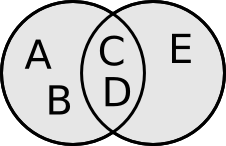
A | B
contains all elements from both sets without doublicates. So this results in ["A", "B", "C", "D", "E"]
Difference
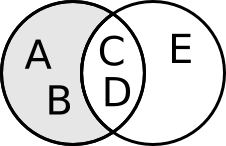
A - B
contains all elements from set A that are not in set B. So this results in ["A", "B"]
Intersection
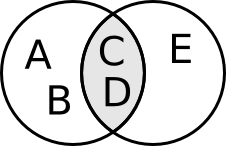
A & B
contains all elements that are in set A and in set B. So this results in ["C", "D"]
read more ...Ruby Caldav Library 0.3
have made a new version of my ruby caldav lib.
version 0.3 is a bugfix release, to make it work with the kde4 calendar
read more ...