New Track - Harmonic
I just released a new Track on Soundcloud
read more ...


Nanoloop FM Sync Test
A few days ago a new Firmware for the Nanoloop FM was released that enables the sync feature. So far the nanoloop can only operate as a sync master but I really like the new feature. I recorded a short jam using the nanoloop and the volca fm.
for the next video I should practice a little more - the nanoloop controls obiously haven't been commited to muscle memory yet :-)
read more ...nannou experiment - amplitude modulated rainbow sinewave
For my latest nannou experiment I created a sinewave, that is amplitude modulated to fit into the differences space of two sinewaves with a much lower frequency
i also modulated the color and transparency of the lines used to draw the curve.
read more ...nannou experiment - particles
For this nannou experiment I created a particle system and made particles move in a noisefield.
This time I created a object in rust for the first time - I'm still feel a little unsure how to use all this inmutable/copy logic in rust correct, but I start getting used to rusts syntax
read more ...nannou experiment no2 - perlin noise
I made a new nannou experiment - this time using 3D perlin noise to color, displace and resize some circles on a grid. It would propably make more sense to implement this using shaders - but I didn't start looking into the wgpu yet.
read more ...nannou experiment
I started playing with nannou - a rust based creative art framework.
this is the first animation I like so I exported it as single frames and turned it into a video.
read more ...sketch experiment 8 - circles animated
for this sketch experiment I animated the circles i create in experiment 3
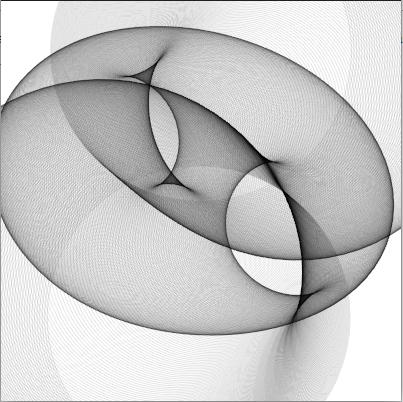
(make-instance 'blub )
(defsketch blub ((title "circles anim") (p 0))
  (background (rgb 1 1 1 ))
  (incf p 0.1)
  (translate 200 50)
  (dotimes (i 720)
    (with-pen (make-pen :stroke (rgb 0 0 0 0.1 ))
      (push-matrix)

      (setf f (+ p  (* (sin (* 6.28 (/ i 720)) ) (+ 0 (* 100 (cos (/ i 72.3)))))))
      (circle (* 100 (sin (* 3.14 (/ i 180)))) (/ i 2.7) f)
      (pop-matrix )
      )
    )
  )
beanie sewing
since sewing masks already works pretty well, I tried to make something a little bit more challenging so here is "beanie sewing test - iteration 1"
hmmm - i think i will need some more before I'm done

sketch experiment 7 - osc events
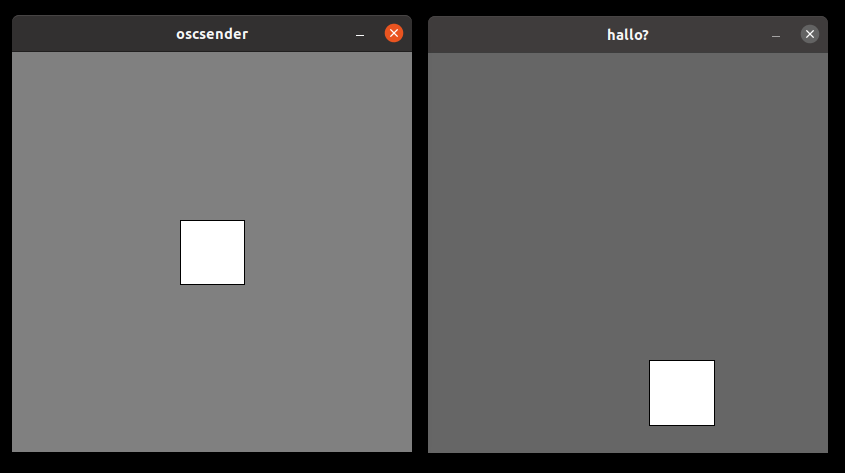
for my latest sketch experiment I implemented a osc event receiver that changes the size of a bouncing rectangle. The osc events are sent by a processing sketch.
sketch experiment 6 - color
For my next sketch experiment I played with the hsb command to create animated colors
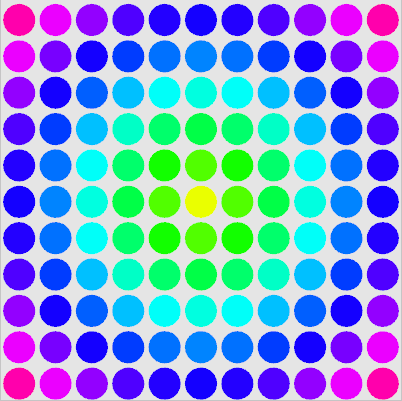
What is a litte bit wired in sketch is how the sketch width and height affect the window size - i originally planned to resize the window to fit 11 circles each 40 pixel in diameter - but the only windowsize where the drawing area is centered seems to be 400 - not yet sure why - i will try to dig into the sourcecode of the sketch macro and figure out what happens here
here is the source code of my experiment
(defsketch blub (
  (title "sketch ex6")
  (width 400)
  (height 400)

  (f 0)
  (p 0)
  (w (/ 400 11))
)
  (incf f 0.01)
  (background (rgb .9 .9 .9))

  (dotimes (i 11)
   (dotimes (j 11 )
     (setf dx (- 5 i))
     (setf dy (- 5 j))
     (if (> f 1) (setf f (- f 1)))

     (setf p (+ f (* .1 (sqrt (+ (* dx dx) (* dy dy))))))
     (if (> p 1) (setf p (ffloor p)))

     (push-matrix)
     (translate (+ (/ w 2) (* i w)) (+ 20 (* j w)))
       (with-pen (make-pen :fill (hsb p 1 1))
         (ellipse 0 0 (- (/ w 2) 2) (- (/ w 2) 2) ))
     (pop-matrix)
   )
  )
)